Custom internal tool development for small business starts with a small, specific irritation. Someone has built a clever spreadsheet that now has a macro, four tabs and a note saying “don’t touch column G.” It runs a real part of the business. And when it breaks, or its builder is away, the work stops. A custom tool turns that fragile thing into something designed.
What an internal tool actually is
Not a product, not a platform. A small app, used by your own people, that does one job in the way you already do it. The best ones are almost boring to look at: a list, a form, a status, a button.
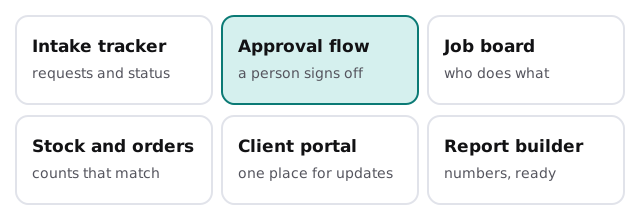
What changes when you build it
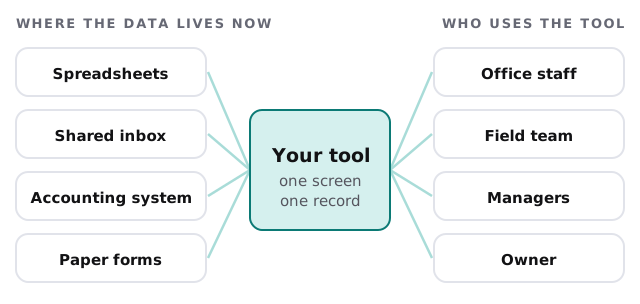
The point isn’t new technology. It’s that scattered information ends up in one place that has rules.
How a build goes
- Walk the real process. We watch the work and ask for the awkward cases, not the tidy diagram. The workaround is the requirement.
- Pick the first slice. One job, done well, rather than everything at once.
- Sketch the screens on paper. You react to pictures before any code exists.
- Build a first version with real data, used by one or two people who’ll say what’s wrong.
- Add permissions. Who sees what, who can change what, who approves.
- Add AI only where it earns its place, reading messy input or drafting text, always with a person approving.
- Widen the circle to the rest of the team once the first group stops complaining.
A realistic first win
A landscaping firm tracks every job on a whiteboard and in two group chats. A small job board gives each job one record: address, crew, status, photos. The crew lead updates it from a phone. The office stops phoning to ask where people are. That is the whole first version, and it’s enough to be useful on day one.
Build, buy or wire together?
We’d rather tell you honestly than sell a build you don’t need.
| Situation | Usually better |
|---|---|
| A standard job that many businesses share, such as invoicing | Buy software |
| Moving data between apps you already use | Connect them with an automation tool |
| A process particular to how you work | Build a small custom tool |
| A one-off report | A spreadsheet is fine |
| Something you’d sell to others | A different project, with different costs |
For the middle row, setting up Power Automate for your team is a sensible do-it-yourself place to start. A custom tool begins to make sense when the process needs a place to live, not just a pipe.
What good looks like after launch
- New staff learn it in a short session, not a manual.
- Questions like “where is this job?” are answered by looking, not asking.
- When the process changes, the tool is changed on purpose and the change is written down.
- Nothing important lives only in one person’s head or one person’s login.
Questions to ask any developer
- Who can see and change what, and how is that set?
- What happens if the tool is wrong, and who notices?
- Will the people doing the work be involved in testing it?
- How is a change requested, and who approves it?
- Is the thing documented well enough that someone else could understand it?
What we need from you
Time with the people who do the job, a few real examples of the work (including a bad one), the current spreadsheet or system, and one named person who can say yes or no to decisions as we go. That last item matters more than any technical input.
A custom tool earns its keep by making one particular job less fragile. If it can’t be explained in a sentence, it’s too big for a first build.