When the person who ran your IT walks out, the computers don’t notice at first. Email still arrives and the printer still prints. The trouble shows up later: a renewal nobody gets warned about, a locked admin account, a backup that stopped weeks ago. If our IT person quit is the sentence running through your head, the goal of the first week is simple. Make sure nothing depends on someone who no longer works for you.
Day one: close the doors
- Switch off their accounts. Email, the Microsoft 365 or Google admin console, remote access tools, the password manager. Disable rather than delete, because you may need their mailbox later.
- Change what they knew. Firewall, Wi-Fi, the server, shared logins, any “admin” account the whole office used.
- Move the codes. If admin accounts send multi-factor codes to their phone, change that before anything else needs a reset.
- Remove their remote access. Look for remote-control apps on office computers that you didn’t install.
- Check last night’s backup. Not that the backup exists, but that it ran, and that someone other than them can see it.
The first week: find the keys
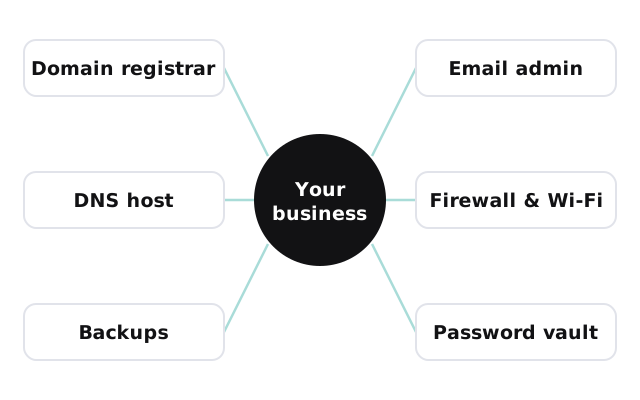
Most of what a departing IT person takes with them isn’t malicious. It’s just undocumented. These are the things to track down, and where they usually turn up:
| What to find | Where it usually hides |
|---|---|
| Domain registrar login | An old email to their personal address, or a card statement |
| DNS host | Often a different company from the registrar |
| Email admin account | A “global admin” in their name instead of a role |
| Firewall and router logins | A sticker on the device, or nowhere at all |
| Backup console | A login only they ever used |
| Software licenses | Renewal emails sitting in their inbox |
| Password vault | Their personal vault, if they kept one |
Signs things were set up around one person
- Admin accounts named after a person rather than a role.
- Recovery emails and phone numbers that aren’t the company’s.
- Renewals billed to a personal card.
- Remote access software nobody else recognizes.
- No written list of what lives where.
None of these mean anyone did anything wrong. They mean the business has been one resignation away from a bad week, and now it’s having it.
What the first month looks like
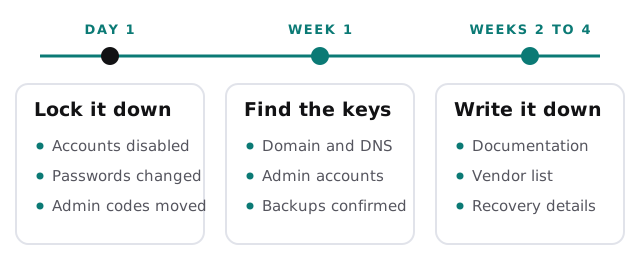
When we step in after a departure, the first job is the same list you’ve just read, written down as we go. By the end, every admin account belongs to the company, every renewal goes to a shared address, and every login sits in a vault more than one person can open.
Before you hire the next person
Whether the replacement is a new employee or an outside team, make three things part of the arrangement from day one:
- Admin accounts belong to the business, named for roles, with recovery details that go to company addresses.
- At least two people can get in. One of them should be the owner or a manager, through a shared password vault.
- Documentation is part of the job, not a favor. A short written note for every system, kept current as things change.
Those three don’t depend on who you hire. They’re what make the next departure a non-event.
If they left on bad terms
Most departures are friendly. If this one wasn’t, do two more things on day one. Check every mailbox for forwarding rules that send copies of email to an outside address, and look at the sign-in logs for the past few weeks for access from unfamiliar places. Both are quick to check and easy to miss.
The fix isn’t another person who knows everything. It’s a business where what they knew is written down.