Key takeaways
- QuickBooks suggests a match only when an amount is the same and the record is inside a date window, so the hard lines are left for a person.
- Count the lines you match by hand each month, the minutes each takes and the minutes you spend fixing wrong ones.
- A wrong match is not a rounding error. It changes which invoice looks paid, and it can sit unnoticed until a customer asks.
- Ask any matching tool to show its reasoning on each line and to leave the final click to a person.
Matching invoices in QuickBooks by hand is the kind of work that hides inside month-end. A customer pays three invoices with one transfer. A processor takes its fee before the deposit lands. A check arrives for slightly less than the invoice, because the customer took a discount. Each one is a few minutes of your day, and each one has to be right.
This post is for the bookkeeper or office manager who does that matching. You will count the lines that need you, put a price on the hours and see what one wrong match does to your books.
What QuickBooks matches for you, and what it leaves
Matching is a simple idea. Intuit’s help page says matching links your bank transactions to records you already created in QuickBooks, like invoices, receipts and bills (Intuit).
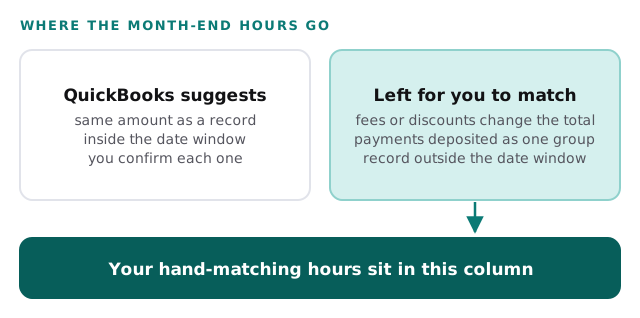
The same page explains when QuickBooks offers help. It automatically suggests matches for transactions with the same amount, and only for records dated from 90 days before to 20 days after the transaction. It does not suggest a match when bank fees or discounts change the total, when several payments were deposited together as one group, or when the record is outside that date window.
Read that list as a map of your own month-end. The lines QuickBooks can match on its own are the easy ones. The lines it skips are the ones that land on you: the partial payment, the batched deposit, the late check. Those are also risky lines, because there is no suggestion to lean on. They are where a slip is easiest.
Count your month
You need two numbers: how many lines you match by hand, and how long each takes. Open a recent month in the bank transactions screen and count the lines you did not simply confirm. Then time a handful of them with a stopwatch, including the minutes spent looking up the invoice or asking a customer what a payment was for.
The example column below is made up, to show the format. The hourly figure uses the median pay for bookkeeping, accounting and auditing clerks, which the U.S. Bureau of Labor Statistics puts at $24.36 per hour in 2025 (BLS). That is pay only, before benefits. Use your own payroll figure if you have it.
| Line | Example | Yours |
|---|---|---|
| Lines you match by hand each month | 90 | |
| Minutes per line, including the lookup | 4 | |
| Hours a month (90 × 4 ÷ 60) | 6 | |
| Hours a year (6 × 12) | 72 | |
| Cost of an hour | $24.36 | |
| Matching cost a year (72 × $24.36) | $1,754 | |
| Wrong matches found and fixed each month | 3 | |
| Minutes to find and fix each one | 20 | |
| Fixing cost a year (3 × 20 ÷ 60 × 12 × $24.36) | $292 | |
| Total a year | $2,046 |
Two points about this sheet. First, the BLS page lists reconciling differences in the records as one of a clerk’s regular duties, so this is not a cost of doing the job badly. It is the job. Second, the sheet counts only your time. It does not count the hours of the person who later asks why a customer’s balance looks wrong.
What a wrong match does
Intuit’s own page carries a warning worth reading twice: always verify that you actually sent or received the payment before you complete the match. The reason is in the definition. A match ties a bank line to a record. If the tie is wrong, the record now tells a false story.
Think through one case. A customer pays $1,200. You match it to the wrong customer’s $1,200 invoice because the amounts are the same. Now one customer’s invoice shows as paid and the other’s still looks open. Your aging report is wrong in both directions, and the second customer may get a reminder for money they already sent.
Intuit says a wrong match can be fixed. Its other help page says that if you match the wrong transactions or categorize them into the wrong account, you can still un-match them (Intuit). The match page adds that you can undo it from the Posted tab and it moves back to the review list. Fixing is possible. The cost is noticing. A wrong match looks identical to a right one until a customer calls.
Find out why the lines are hard
Before you change any tool, spend one month labelling the lines you match by hand. Next to each one, write the reason. It takes a few seconds and it tells you where the hours come from.
- Make a short list of reasons: fee taken out, discount taken, several invoices in one payment, record dated too early or too late, no invoice found at all.
- Mark one reason against each line as you work.
- At month-end, count the marks under each reason.
- Look at the top reason first. It may point to something you can change at the source.
Some of those fixes have nothing to do with software. If one customer always pays several invoices at once, you can ask them to send a remittance note. If a processor’s fee is what breaks the amount, you will at least know that it is one cause, not twenty. A tool is easier to judge once you know which reason it has to beat.
Why the usual fixes disappoint
When month-end drags, you tend to be offered one of three things. Each deserves a fair look.
Bank rules and suggestions. QuickBooks already suggests matches and lets you set rules for recurring items. Those handle the clean cases. By Intuit’s own description, the hard cases (fees, grouped deposits, odd dates) are the ones suggestions skip.
A faster person. You can add hours or train someone new. That moves the work around. The same lines still need the same judgment, and the new person has to learn your customers’ payment habits.
An add-on that approves matches itself. Some tools promise to match and post without a person. The risk is the wrong match above, now made at speed and with nobody looking. The tool may be good. The problem is that you find out it was wrong after the books have moved.
What to look for instead
Match the fix to the lines that cost you time, which are the ones the built-in suggestions leave behind.
| Ask for | Instead of |
|---|---|
| A reason shown for each proposed match | A match with no explanation |
| A person makes the final click | Matches posted automatically |
| Help with fees, discounts and grouped deposits | Help only with exact-amount lines |
| A clear list of the lines it could not match | Silence about what it skipped |
| A trial on one month of your own lines | A rollout across every account at once |
Our page on QuickBooks invoice matching automation goes into this in more detail, and the accounting firms page covers how firms like yours work. After one month with a new process, repeat the count. If the hand-matched lines and the fixes fall, it is working.
An assistant to see up close
We built an AI executive assistant and operations dashboard. It drafts inbox replies for one-tap approval and answers questions about sales, orders and cash. It is a working demo, shown here on sample data.
It isn’t an invoice matching tool. It is worth seeing for a narrower reason. Two things to watch for in the walkthrough are how it lets you ask a plain question about cash and orders, and how it leaves the decision with a person by holding each draft for approval. Those are the same two properties you should demand of anything that touches your books, and a real screen shows them better than a feature list does.
Behind the scenes
Want a behind-the-scenes walkthrough of a real build?
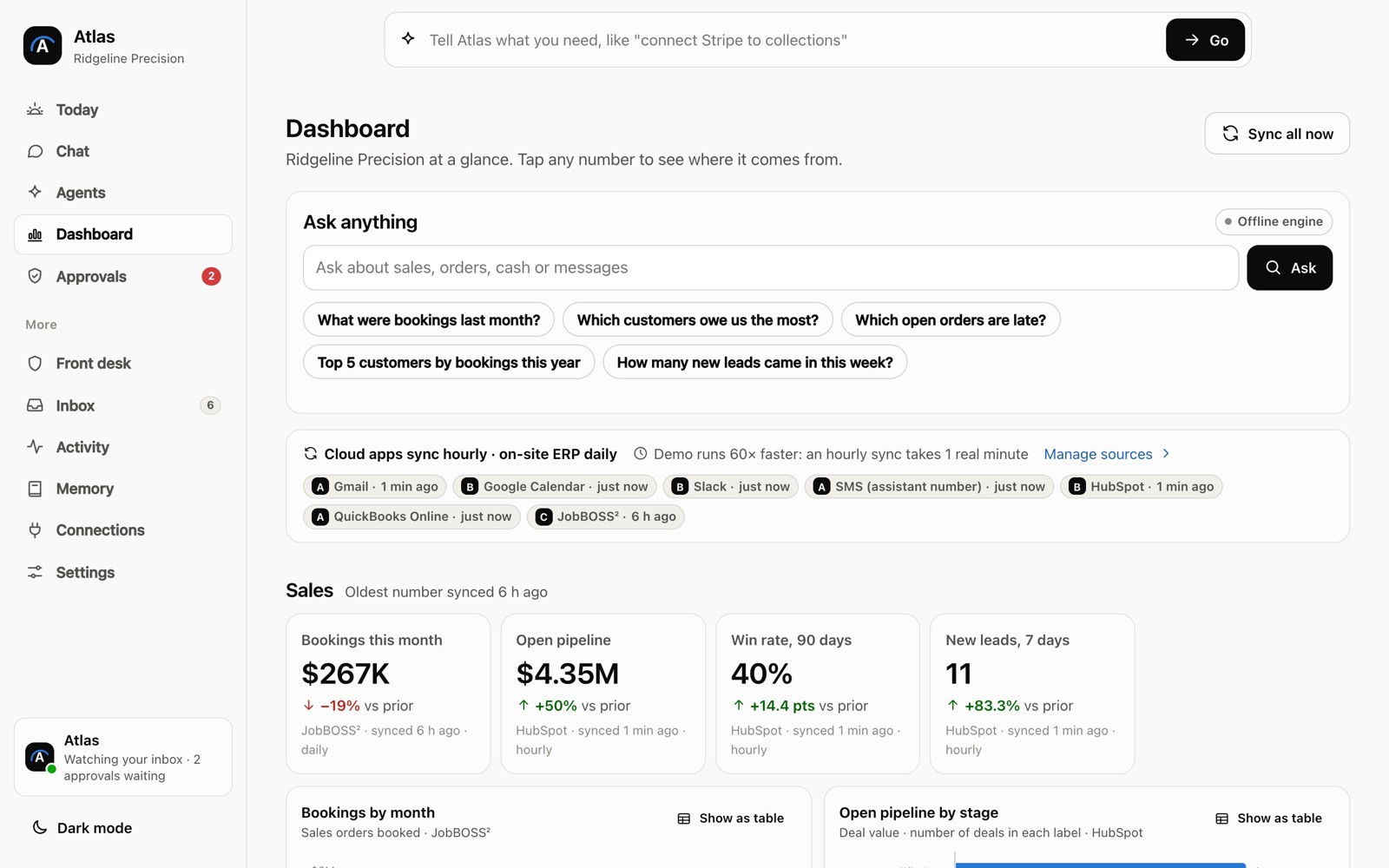
We will take you through it screen by screen: what each person sees, how a record moves through it, and why we built it that way. Then we can talk about the task that costs you most.
Frequently asked questions
Why does QuickBooks not suggest a match for some deposits?
Intuit's help page lists the cases. A suggestion is not made when bank fees or discounts change the total, when several payments were deposited as one group, or when the record falls outside the date window. Those lines need a person to find the match.
Can a wrong match be undone?
Yes. Intuit's help page says you can open the posted transaction and select Undo, which sends it back to the review list. The harder part is noticing the mistake, since a wrong match looks like any other.
How many hours of month-end matching is normal for a small business?
There is no number worth quoting. It depends on your volume, how your customers pay and how clean your bank lines are. Count one month of your own lines and you will have a better figure than any average.
Sources
About the author
Andy Kang, AI Partner Team. Andy Kang writes the blog for AI Partner Team, which builds AI tools and internal apps for small businesses alongside managed IT and IT projects. The blog shows the math and the reasoning behind that work, so you can check it against your own business.
- Every fact links to the page it came from, listed under Sources.
- Example numbers are labelled as examples, and you can swap in your own.
- Builds are shown on sample data, with no client names or client figures.