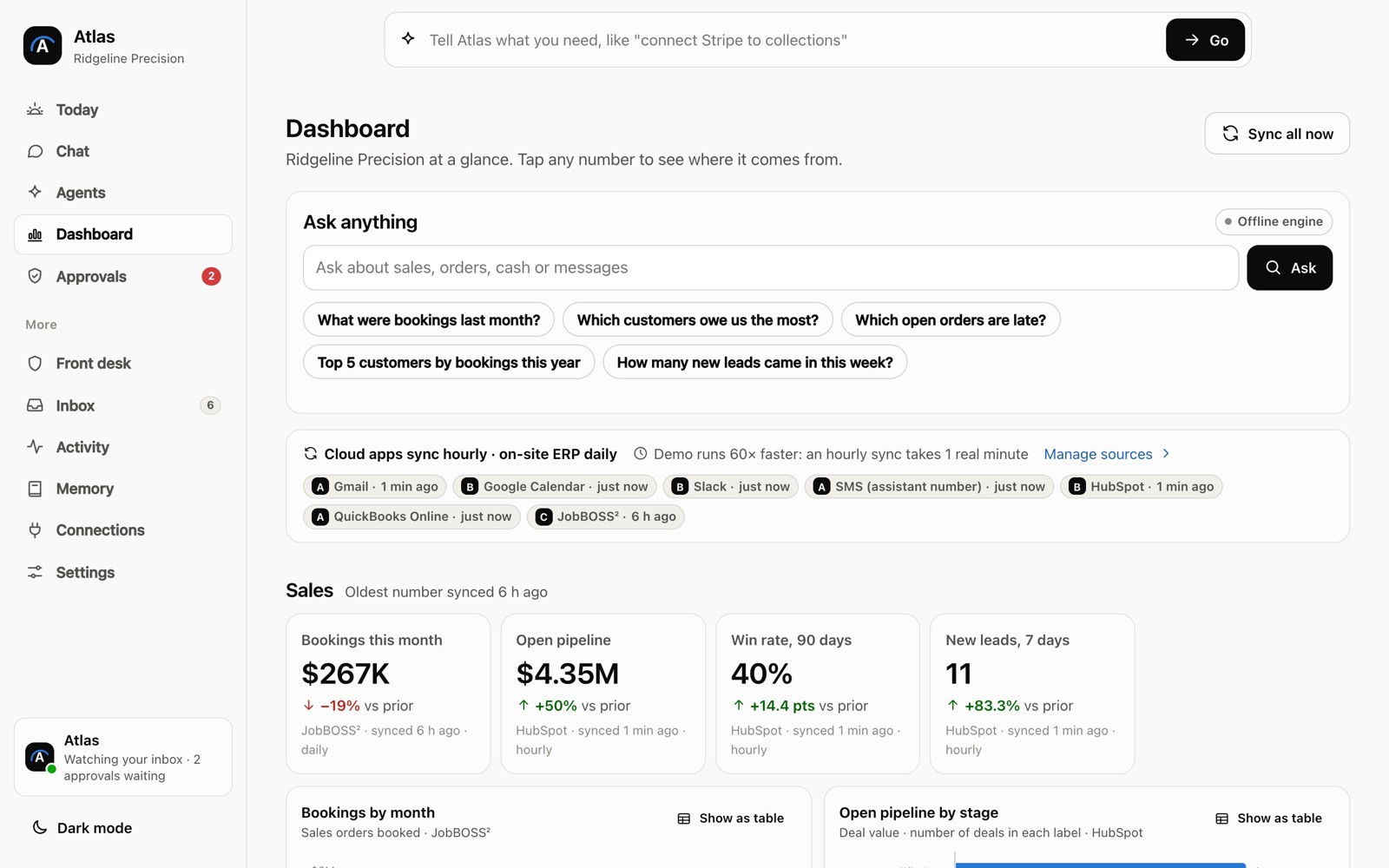
An AI executive assistant for business owners is not a chatbot you have to remember to open. It sits on top of the inbox you already use and the numbers you already keep, and it does the first draft of the admin that eats your morning. You stay the one who decides what gets sent, booked or answered.
A morning with one, once it’s set up
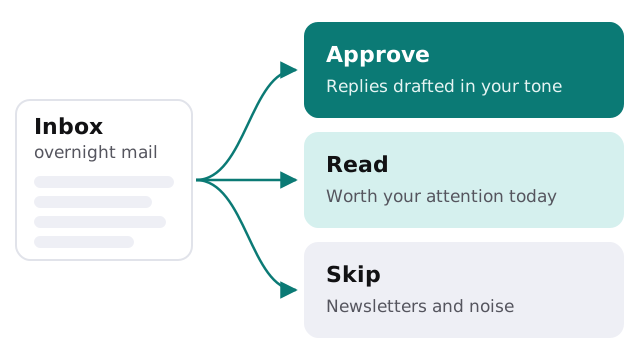
- Before you sit down. Overnight mail has already been sorted into three piles: replies waiting for your approval, things worth reading, and noise you can skip.
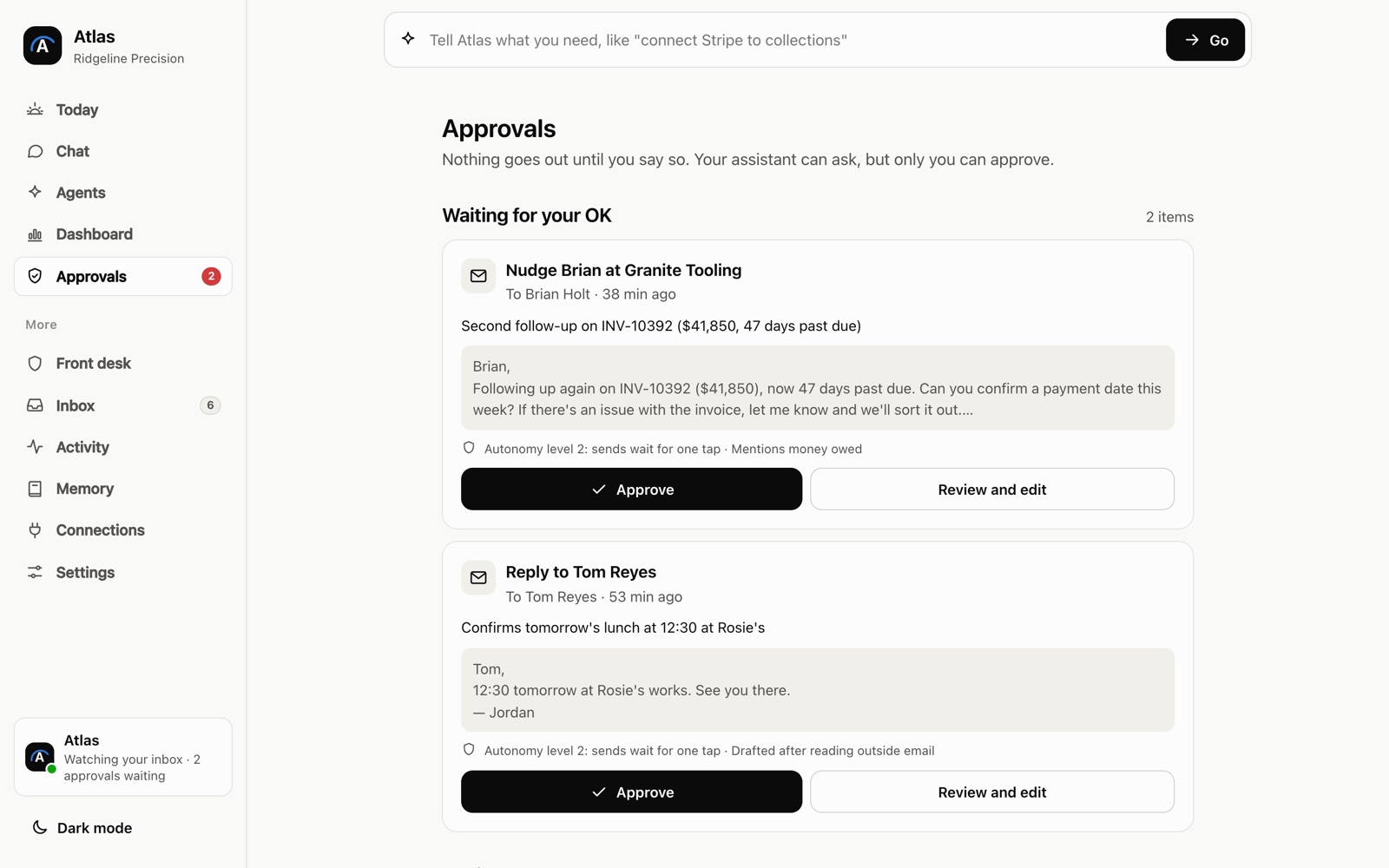
- First coffee. The routine replies are drafted in your tone. You read each one, change a word where you’d say it differently, and send them one tap at a time.
- A question about the business. You type “How did last week’s orders compare with the week before?” and get an answer pulled from your own sales data, with the figures it used shown underneath so you can check them.
- A meeting request. A supplier asks for a call. The assistant proposes two open slots from your calendar and holds the reply until you pick one.
- Done with admin. What’s left in front of you is the work only an owner can do.
None of those steps happens without you. The point is that you start each one from a finished draft instead of a blank screen.
What it does, and what it never does
| It does | It never does |
|---|---|
| Drafts replies in your tone, based on emails you’ve already sent | Sends a message without a person approving it |
| Sorts incoming mail into approve, read and skip | Deletes or archives mail on its own |
| Answers questions from your sales, order and cash records | Makes up a number when the data isn’t there; it tells you instead |
| Suggests meeting times from your calendar | Accepts or declines invitations for you |
| Flags refunds, payment problems and anything that reads as urgent | Moves money or edits your records |
The second column matters as much as the first. A tool that can act without asking will, sooner or later, act wrongly in front of a client.
How approval works
The approval step is the heart of the design, so it’s short and it never changes:
- A message arrives and the assistant reads it, along with any earlier emails in the same thread.
- It writes a draft and shows its working: which message it’s answering and which records it looked up.
- You approve it, edit it, or throw it away. Your edits are kept as examples for the next draft, so the drafts get closer to how you write.
- Approved replies go out from your own account. To the person on the other end, it’s simply an email from you.
- Every draft, and what you did with it, stays in a log you can scroll back through.
An assistant hire, an inbox app, or one built for you?
Owners usually weigh three options. They solve different problems, and plenty of businesses end up with two of them.
| Executive assistant hire | Off-the-shelf inbox app | AI assistant built for you | |
|---|---|---|---|
| Knows your business | After months of learning it | Only what’s in the inbox | The inbox plus the systems you connect |
| Answers questions about your numbers | Yes, with some digging | No | Yes, from the connected records |
| Available at 6am and on Sundays | Rarely | Yes | Yes |
| Can send without asking | Sometimes, by design | Depends on the settings | Never |
| How you pay | Salary and benefits | A monthly fee per user | A build project, then the cost of running it |
If you already have a great assistant, the custom tool takes the drafting off their plate and leaves them the parts that need a human.
What we need from you to build it
- Access to the inbox and calendar you want handled, granted through the provider’s own sign-in screen.
- A short list of senders and topics the assistant should never draft for, such as legal matters or family.
- Read-only access to wherever your numbers live, such as accounting, ordering or point-of-sale software.
- Twenty or so emails you’re happy with, so the first drafts already sound like you.
- One person on your side who reads every draft for the first week and tells us what’s off.
Want to try a lighter version on your own first? Our guide to drafting email replies with Zapier and AI builds a simple approve-before-send flow with off-the-shelf tools.
Start small. One inbox, one source of numbers, and a week of drafts you check by hand. Add the next piece only after the first one has earned your trust.