Key takeaways
- Manual CRM data entry costs three things: the minutes spent retyping, the time spent cleaning duplicates, and the leads lost to a mistyped phone number or email.
- In a lab study, reading over typed data was no better than not checking it: visual checking produced 2,958 percent more errors than typing everything twice.
- A duplicate finder cleans up after the fact, and in at least one CRM a merge cannot be reverted. Fixing the source is cheaper than fixing the symptom.
- Look for one record per lead that people work from, instead of copies that someone has to keep matched.
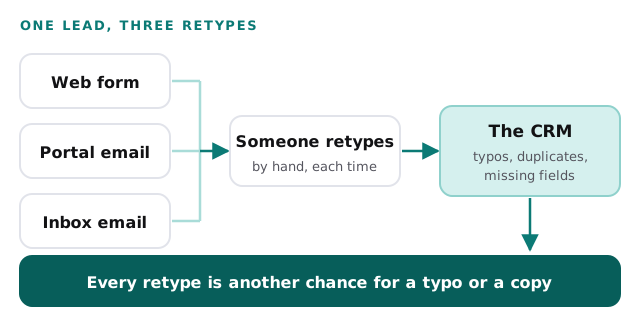
Manual CRM data entry is the quiet job in a brokerage. A lead comes in through a web form, a portal email or a message to an agent’s inbox. Someone opens the CRM and types it in again: name, phone, email, what they are looking for. It takes a couple of minutes, so nobody counts it.
This post counts it. It also counts what the retyping leaves behind, which is typos and duplicate records. By the end you will have a number for your own office.
Where the retyping comes from
A lead does not start in the CRM. It starts somewhere else.
| Where the lead lands | What someone does with it |
|---|---|
| A form on your website | Copies the fields into a new contact |
| An email from a listing portal | Reads the email, retypes the details |
| A message to one agent’s inbox | Forwards it, or retypes it later |
| A call written on a notepad | Types it in at the end of the day |
Each row is a handoff from one person’s screen to another place. The details of website form to CRM automation and Gmail to CRM automation are on their own pages. This post stays on the cost.
What a retype costs
Three costs sit behind that two minutes.
The first is the typing itself. Multiply the minutes by the leads and you get hours a week.
The second is mistakes. A transposed digit in a phone number, a missing letter in an email address, a name spelled two ways. Nothing flags it. The lead is in the CRM, so it looks handled. The follow-up goes to an address that does not exist, or to a number that belongs to someone else.
The third is duplicates. The same buyer fills in a form, then emails an agent, then shows up in a portal. If each arrival is typed as a new contact, you now have three records for one person, each with part of the story.
What a study of typists found
Typing errors are not a character flaw. A 2011 study by Kimberly Barchard and Larry Pace randomly assigned 195 undergraduates to one of three data entry methods. Each student entered 30 data sheets with six types of data on each. The three methods were double entry, visual checking and single entry.
The result was stark. Visual checking produced 2,958 percent more errors than double entry, and it was not significantly better than single entry. The authors concluded that single entry and visual checking should be replaced with methods such as double entry (Barchard and Pace).
Two cautions. This was students entering research data in a lab, not agents entering leads, so it does not give you an error rate for your office. And in that study, double entry is one of the methods for catching typing errors, not the retyping between systems this post is about. The useful lesson is narrower: telling people to “double-check what you typed” is not a safe control. If you want fewer errors, the lead should not be retyped at all.
Count your own re-keying
Do this for one normal week.
- Count the leads that reached you by form, portal and email.
- Time five retypes, start to finish, and take the average.
- Ask the person who cleans the CRM how many hours a month go to duplicates and fixes.
- Pull 50 recent leads and compare their email and phone number with the original. Count the mismatches.
Every number in the Example column below is invented, to show the format. Fill in the Yours column from your own week.
| Line | Example | Yours |
|---|---|---|
| Leads a week from forms, portals and email | 60 | |
| Minutes to retype one lead | 3 | |
| Hours a week retyping (60 × 3 ÷ 60) | 3 | |
| Cost of a staff hour (from your payroll) | $30 | |
| Retyping for the year (3 × $30 × 50) | $4,500 | |
| Hours a month cleaning duplicates and fixes | 4 | |
| Cleanup for the year (4 × 12 × $30) | $1,440 | |
| Leads a year you could not reach because of a typo | 12 | |
| What one such lead is worth to you | $150 | |
| Unreachable leads for the year (12 × $150) | $1,800 | |
| Total for the year | $7,740 |
For the “what one lead is worth” line, multiply your usual close rate by your commission. A small true number beats a large guessed one.
Look at which mismatches you found in step four. A swapped digit in a phone number and a lead entered twice are different problems. The first points at typing. The second points at how many places a lead arrives. Tally them separately, because they need different fixes.
Why the usual fixes fall short
Four fixes come up when an office notices the problem.
A duplicate finder. Some CRMs have one, and it is worth using. HubSpot’s help page, for example, says its tool compares fields such as first name, last name, email, phone number, zip code and company name, and that merged records cannot be reverted (HubSpot). That is a sensible design, and it also means a person has to review pairs and be sure before merging. You are paying for cleanup, not preventing the mess.
Required fields. Making a phone number mandatory stops blanks. It does not stop a wrong number, and a rushed entry can still put anything in the box.
A data-entry hire. An extra pair of hands clears the backlog. But the retyping is still there, now with one more person doing it and one more person who can make a typo.
A one-time import and tidy. A clean list on Monday is a messy one by the end of the quarter, if new leads are still arriving by hand.
Each of these treats the symptom after the lead is already in the system. None of them asks why the lead had to be typed.
What to look for instead
Look for a setup where the lead is entered once, by the person who sent it, and everyone else works from that same record.
| Ask for | Instead of |
|---|---|
| Lead details captured at the source, not retyped | A person copying between screens |
| One record per lead, matched on email or phone | A new contact for every arrival |
| A person reviews anything the system is unsure about | Silent merges that cannot be undone |
| One written definition of a correct record | Each agent’s own habits |
| A weekly mismatch count on 50 leads | A yearly cleanup project |
When you talk to any vendor, ask them to show one lead’s journey from the form to the record, and count how many times a person touches it. Then test it before you trust it. Run the 50-lead comparison again after a month. If the mismatches and the cleanup hours fall, price the difference with the table above.
One shared record, from the inside
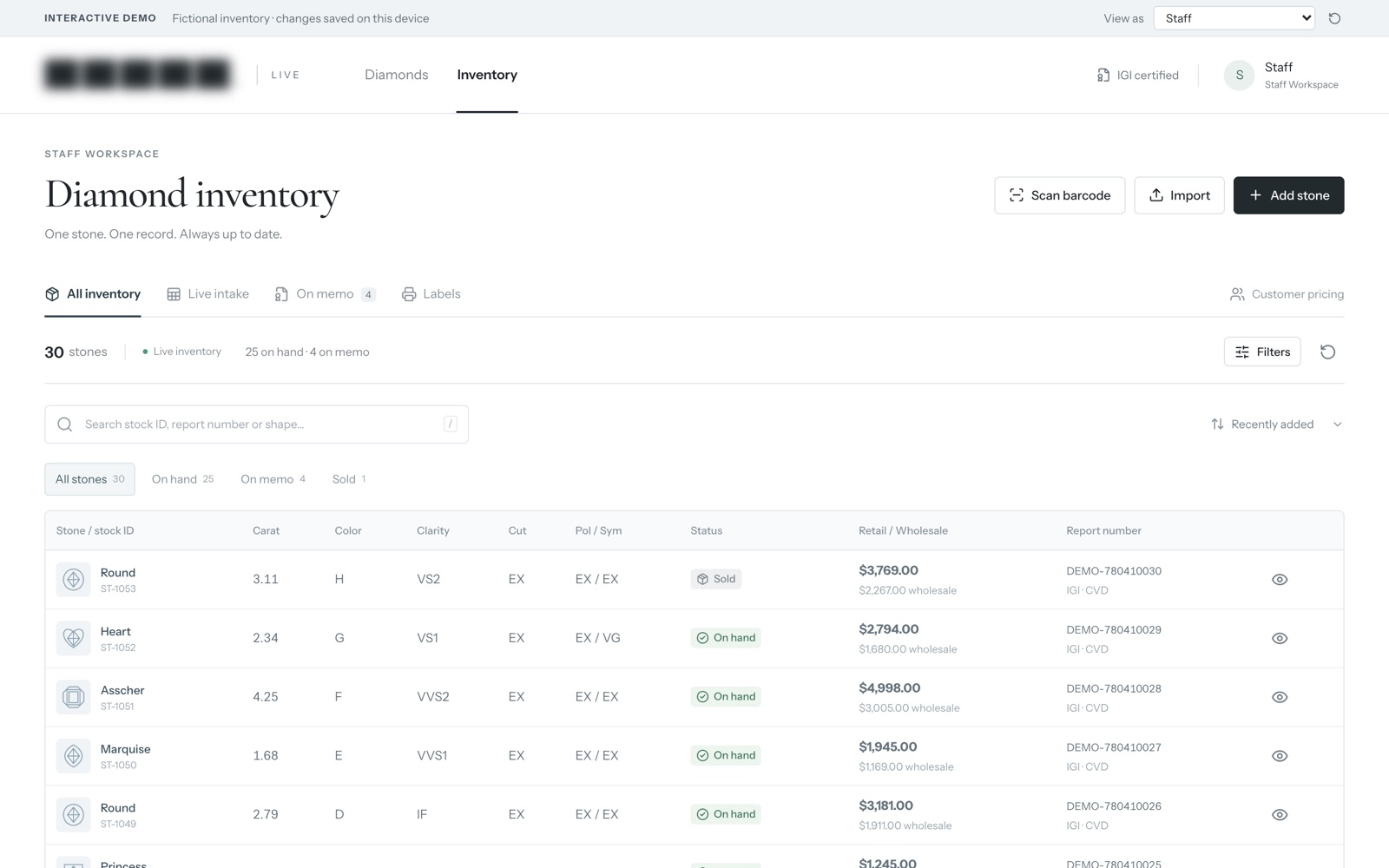
Our inventory system and online catalog for a diamond retailer is a different business from yours. It isn’t a CRM. Staff track every stone from intake to memo to sale, and customers see the price their account allows. It runs on sample data.
We’re showing it for one idea. Each stone has one record, and everyone with access works from that record, not from their own copy. A lead can be handled the same way, as one record that the whole office works from, with no copy in the inbox, another in the portal and a third typed into the CRM.
Seeing it up close shows what working from one record feels like, and what it takes to keep it that way.
Behind the scenes
Want a behind-the-scenes walkthrough of a real build?
We will take you through it screen by screen: what each person sees, how a record moves through it, and why we built it that way. Then we can talk about the task that costs you most.
Frequently asked questions
How can I tell whether my CRM already has typos in it?
Export 50 recent leads. Compare each one's email and phone number with the original form or message. Count the mismatches. Fifty leads takes about an hour, and it tells you more than any estimate.
Is typing everything twice a good way to catch errors?
It catches more than reading over what you typed, according to the study cited here. It also doubles the typing. If the goal is fewer hours, the better answer is to avoid retyping the lead at all.
Who should own the lead data in a small brokerage?
Name one person who decides what a correct record looks like, such as which fields are required and how names are written. Everyone else follows that. Without one owner, each agent keeps their own habits and the records stop matching.
Sources
About the author
Andy Kang, AI Partner Team. Andy Kang writes the blog for AI Partner Team, which builds AI tools and internal apps for small businesses alongside managed IT and IT projects. The blog shows the math and the reasoning behind that work, so you can check it against your own business.
- Every fact links to the page it came from, listed under Sources.
- Example numbers are labelled as examples, and you can swap in your own.
- Builds are shown on sample data, with no client names or client figures.